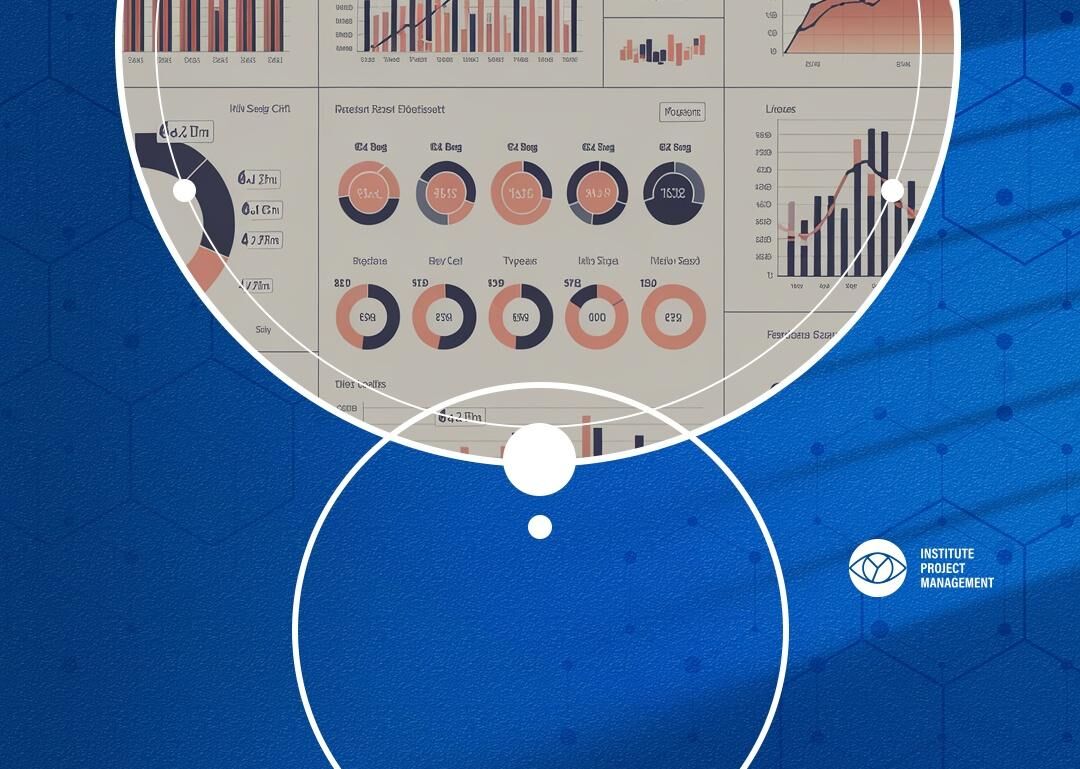
A KPI dashboard template is a structured reporting framework that consolidates a project’s key performance indicators into a single, readable view, showing target values, actuals, variance, RAG status, and ownership so that sponsors, boards, and delivery teams can assess project health at a glance. Unlike generic business dashboards, a project management KPI dashboard is governed by the performance measurement principles embedded in recognised frameworks such as IPMA and PMBoK. IPM has drawn on 35 years of practitioner education to produce a template that meets the governance and reporting expectations of professional PMs, not simply the formatting preferences of software designers.
What Is a KPI Dashboard Template?
A KPI dashboard template is a pre-built reporting structure that captures the critical performance data a project manager needs to communicate progress, risk, and outcomes to stakeholders. At its core, it answers one question: is this project on track? The template provides consistent fields across all reporting cycles, removing the risk of ad hoc, inconsistent updates that undermine sponsor confidence.
The table below shows the essential components every professional KPI dashboard template should include.
| Component | Purpose |
| KPI Name | Identifies the specific performance measure |
| Target | The agreed benchmark or goal value |
| Actual | The current measured result |
| Variance | The numerical or percentage gap between target and actual |
| RAG Status | Red, Amber, or Green indicator showing performance health |
| Owner | The individual accountable for this KPI |
Why Project Managers Need a Dedicated KPI Dashboard
General business dashboards are designed for operational continuity. Project management dashboards serve a fundamentally different purpose: they track time-bound objectives, measure delivery against a baseline, and support governance decisions under conditions of change and uncertainty. A template built on project management principles reflects this distinction.
Without a structured KPI dashboard, project managers default to narrative status reports that bury critical variances in prose, or to spreadsheets that differ in format from one reporting cycle to the next. Boards and sponsors lose confidence not because projects are failing, but because reporting is inconsistent. A standardised template eliminates that credibility risk and demonstrates the kind of professional rigour that advances a PM’s career standing. IPMA’s Individual Competence Baseline explicitly identifies performance measurement and stakeholder reporting as core practitioner competencies, and a well-structured dashboard is how those competencies become visible.
Anatomy of a KPI Dashboard Template: Key Components
Beyond the six core fields shown above, a professional-grade KPI dashboard template includes several additional elements that lift it from a simple tracking sheet to a genuine governance tool. Understanding each component helps project managers customise the template without compromising its structural integrity.
The reporting period field anchors every dashboard to a specific cycle, whether weekly, monthly, or stage-gate. A trend indicator column captures directional movement, showing whether performance is improving or deteriorating even when the RAG status remains unchanged. A commentary field, kept to a disciplined two or three sentences per KPI, provides the narrative context that bare numbers cannot. Finally, an escalation flag signals which indicators require a decision or action from the sponsor, ensuring the dashboard drives governance rather than simply informing it.
Understanding how to report KPIs with rigour is one aspect of a broader project management competency set. If you are ready to formalise your skills and gain recognised credentials, IPM’s Project Management Certification Programme provides structured learning aligned with IPMA standards, covering performance measurement, stakeholder reporting, and governance in depth. It is the natural next step for any PM who wants their dashboard to reflect not just good formatting but genuine professional capability.
How to Choose the Right KPIs for Your Project Dashboard
Selecting KPIs is the most consequential decision a project manager makes when building a dashboard. A common error is measuring what is easy to measure rather than what matters. The four pillars of effective KPI selection, sometimes called the four pillars of KPI design, are: relevance (does this measure directly reflect a project objective?), reliability (can it be measured consistently?), timeliness (is data available within the reporting cycle?), and actionability (can the team respond to an adverse reading?).
IPM recommends beginning with the project’s benefit realisation plan and working backwards. Each strategic outcome should generate no more than two or three KPIs. A dashboard with more than twelve indicators typically signals that the project lacks a clear performance framework, not that it is well monitored. Fewer, better-chosen KPIs produce more useful governance conversations and more decisive sponsor engagement.
Common KPI Categories for Project Management Dashboards
To answer the frequently asked question of what the five KPI examples are in a project context, it helps to group KPIs by category rather than list isolated metrics. The five most consistently useful KPI categories across project types are schedule performance, cost performance, scope delivery, quality, and stakeholder engagement. These map directly to the performance domains recognised in both IPMA and PMBoK frameworks.
Within schedule performance, metrics such as milestone adherence rate and schedule performance index (SPI) are standard. Cost performance is typically captured through cost performance index (CPI) and budget variance percentage. Scope delivery tracks the ratio of accepted deliverables to planned deliverables. Quality KPIs include defect rate and rework percentage. Stakeholder engagement is often measured through issue resolution time and the frequency of escalated risks. Together, these five categories give a board a complete picture of project health without overwhelming the dashboard with granular operational data.
How to Build a KPI Dashboard Template in Excel: Step-by-Step
Excel remains the most widely used format for KPI dashboards in professional project environments because it is portable, auditable, and requires no software licence beyond what most organisations already hold. To answer the question of how to make a KPI dashboard, the process follows six clear steps.
First, create a data input sheet separate from the dashboard view. This preserves the integrity of raw data and simplifies formula management. Second, define your KPI rows using the six core components described above. Third, apply conditional formatting to the RAG status column so that cells automatically display red, amber, or green based on variance thresholds you set. Fourth, add a trend column using sparklines, which are compact charts available natively in Excel. Fifth, lock the structure of the dashboard view to prevent accidental edits during reporting cycles. Sixth, create a version history tab to maintain an audit trail of each reporting period. This six-step structure is what separates a professional dashboard from a formatted spreadsheet.
Does Excel Have a KPI Template?
Excel does include a small number of built-in dashboard templates accessible through its template gallery, and some versions of Excel connected to Power BI offer KPI visualisation features. However, these generic templates are designed for sales and financial reporting rather than project governance. They typically lack the milestone tracking, RAG logic, and stage-gate structure that a project manager requires.
The more reliable approach is to use a purpose-built KPI dashboard template designed specifically for project management contexts, such as the one available from IPM. A practitioner-grade template arrives with the correct fields, formula logic, and reporting structure already in place, saving setup time and ensuring the output meets the expectations of a professional governance environment. When sponsors and boards review project dashboards regularly, the consistency of format becomes as important as the accuracy of data.
Different reporting contexts call for different formats, and a mature PM will maintain the same underlying KPI data across multiple output formats. The Excel version serves as the working document: it holds live data, formula-driven RAG indicators, and the historical record. The PowerPoint version extracts the summary view for board presentations, using visuals to communicate at a glance without expecting sponsors to interpret spreadsheet cells. The PDF format is appropriate for formal distribution, archiving, and audit purposes where version control and tamper-evidence matter.
Word-based KPI templates are occasionally used in organisations where narrative reporting is the cultural norm, though they offer limited formula automation. For distributed or cross-functional teams, a shared cloud-based version of the Excel template, hosted on SharePoint or a similar platform, allows multiple owners to update their KPI data simultaneously before the dashboard is consolidated for reporting. The format is secondary; what matters is that the underlying data structure, the KPI name, target, actual, variance, RAG, and owner, remains consistent across every format used.
Download IPM’s Free KPI Dashboard Template for Project Managers
IPM’s KPI dashboard template is available as a free download in Excel and PDF formats. Unlike generic spreadsheet templates, it has been structured in alignment with IPMA competency standards and reflects the governance expectations that professional project managers encounter in real delivery environments. The template includes a pre-built data input sheet, a formatted dashboard view with conditional RAG logic, a trend column, a commentary section, and a version history tab.
Downloading the template takes less than a minute. Project managers can adapt the KPI rows to their specific project type, replace the placeholder metrics with their own measures, and begin reporting within the same day. For teams delivering multiple concurrent projects, the template is designed to be replicated across a programme dashboard with minimal modification. IPM also provides guidance notes within the template itself, drawing on practitioner experience to explain how each component supports effective governance rather than simply describing what each field contains.
Important things to know about kpi dashboard template
What is a KPI dashboard template?
A KPI dashboard template is a structured reporting framework that consolidates a project’s key performance indicators into a single view. It typically includes fields for KPI name, target, actual, variance, RAG status, and owner, enabling project managers to communicate project health to sponsors and boards in a consistent, governance-ready format.
Does Excel have a KPI template?
Excel includes generic dashboard templates in its template gallery, but these are designed for sales and financial reporting rather than project governance. They lack the milestone tracking, RAG logic, and stage-gate structure that project managers need. A purpose-built project management KPI template, such as IPM’s free download, is a more appropriate and efficient starting point for professional reporting.
How do you make a KPI dashboard?
To build a KPI dashboard, first create a separate data input sheet, then define your core KPI fields including target, actual, variance, RAG status, and owner. Apply conditional formatting for RAG logic, add trend indicators using sparklines, lock the dashboard view structure, and create a version history tab. This six-step process produces a governance-ready dashboard rather than a simple formatted spreadsheet.
What are the 5 KPI examples in project management?
The five most useful KPI categories in project management are schedule performance, cost performance, scope delivery, quality, and stakeholder engagement. Specific examples include schedule performance index (SPI), cost performance index (CPI), deliverable acceptance rate, defect rate, and issue resolution time. These categories align with the performance domains recognised in IPMA and PMBoK frameworks.
What are the 4 pillars of KPI?
The four pillars of effective KPI design are relevance, reliability, timeliness, and actionability. A KPI must directly reflect a project objective, be measurable consistently across reporting cycles, be available within the reporting period, and generate a response when performance is adverse. KPIs that fail any one of these tests consume reporting effort without improving governance quality.
A KPI dashboard template is not a formatting exercise. When built on sound project management principles and aligned with recognised competency standards, it becomes one of the most powerful governance tools a project manager can bring to a sponsor conversation. IPM’s free template gives you a professional starting point, and our certification programmes give you the methodology to make every dashboard you produce a demonstration of genuine expertise.
| Key Aspect | What to Know | Why It Matters |
| Template Format | Available in Excel and PDF | Works across reporting environments without additional software |
| Methodology Alignment | Structured in line with IPMA competency standards | Meets the governance expectations of sponsors and boards |
| Core Components | KPI Name, Target, Actual, Variance, RAG Status, Owner | Provides a consistent, audit-ready reporting structure |
| KPI Selection | Based on four pillars: relevance, reliability, timeliness, actionability | Ensures every metric drives a decision rather than filling a column |
| Professional Development | Template supported by IPM certification and practitioner guidance | Advances PM career standing beyond tool use to methodology mastery |


 IPM CPM Level 1