


 IPM CPM Level 1


hamburger__close


Mastering Microsoft (MS) Project can be difficult, but doing so gives you access to powerful tools that can help you manage projects more effectively. This course uses practical exercises to help you learn how to use MS Project to apply fundamental project planning principles and best practices. By the end of the course, you will confidently navigate MS Project and leverage its advanced features to optimise workflows and improve collaboration.

Microsoft Project remains deeply embedded in how US enterprises, particularly in construction, IT, government contracting, and consulting, plan and track work at scale, even as newer tools compete for attention.
Job postings across these sectors routinely list Microsoft Project proficiency as a required or preferred skill, yet most professionals are never given structured training to actually use it well.
This course closes that specific gap: hands-on, practical training built around real scheduling and resource-management scenarios US project teams face daily.


By the end of this course, you will be able to:
No previous experience with Microsoft Projects is required. However, it is advisable to:
For participants taking the OnDemand / Self-Paced format, you will receive:
Microsoft Project fluency is one of the most immediately applicable, resume-relevant skills a project professional can add — it’s a practical tool competency, not a standalone career credential, so it’s best understood as strengthening your existing project management profile rather than opening a new job title on its own.
Employers across construction, IT, and government contracting consistently value candidates who can build and manage schedules independently from day one.
Enrolment in this programme includes 12 months’ complimentary access to IPM Membership, supporting continued professional development beyond certification.


Completing this training will help you quickly become proficient in MS Project to help you stand out in the digital business landscape. Mastering this software package allows you:
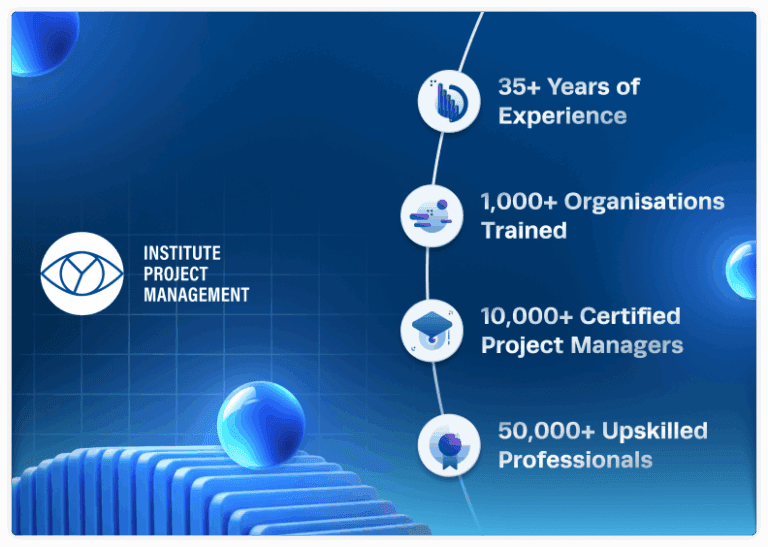
This course is delivered by the Institute of Project Management, an official partner of IPMA®, PMI®, and PRINCE2®, trusted by 50,000+ professionals and 1,000+ organisations worldwide since 1989.
You’ll earn a shareable, verifiable Certificate of Completion plus 7 PDUs — recognised toward maintaining PMI certification status for US-based PMP® holders.

Uncertain if this course suits you? Schedule a Call to converse with an educational adviser.

With subtitles in Arabic, French, Chinese and Spanish – enjoy flexibility and control over your schedule with our OnDemand format.
 7 Hours of Learning
 24/7 Instant Access 12 Weeks of Full Access
 Expert-led Video Lessons
 5 Modules, 26+ Topics
 Online Quizzes & Exercises Certificate of Completion, 7 PDUs

Excellent on-demand course! Detailed and well-compiled material, presented by a selection of industry experts. The customer service/support team are also outstanding and very responsive, if you encounter any issues or have any queries (special thanks to Alex Solano). I would highly recommend the IPM!
 Reviews (100+)
On Demand Course provides you with greater flexibility and control over your schedules. It allows you to follow the learning pace that works best for you. It maximises efficiency by ensuring you have access to master the skills you need right when you need them.
7 Hours of Learning 24/7 Instant Access 12 Weeks of Full Access Expert-led Video Lessons 5 Modules, 26+ Topics Online Quizzes & Exercises Certificate of Completion, 7 PDUs Subtitles Available in Arabic, French, Chinese & Spanish
This course is available for organisations looking to meet specific business needs, equipping your team with the skills to drive success.


 20 36 20
Find your questions answered and everything you need to know about the course.
No — Microsoft continues to actively develop and support Microsoft Project, including newer cloud-based versions like Project for the Web and Project Online. Desktop versions (2016, 2019, and earlier) remain widely used and fully supported across enterprise environments, and the fundamentals this course teaches — task structuring, resource allocation, baselining, critical path analysis — carry directly across every version.
We’re always happy to guide you in the right direction and offer advice on the project management training and certification most suitable to your needs. Not sure if this course is for you? Schedule a call to speak with an educational adviser.
No. You probably are aware of some common project management terminology, even if you are not currently a Project Manager. This MS Project course is suitable for any professional who wants to learn how to use this software package to its full potential.
The Microsoft Project course is based on Project 2019 which is essentially the same as Project 2016. Previous versions of Microsoft Project (including Project 2000, 2002, 2007, 2010, and 2013) are also acceptable.
Please note:
No. The Web-based version does not have the functionality taught in this course.
Yes, but only if you are subscribing to Project Plan 3, or Project Plan 5. Subscriptions to Project plan 1 are like ‘Project on the web’ and not suitable.
The Gantt Chart view is the most commonly used view, and this course explains its use in detail.
The course fees include the access to all course materials on the Student Hub, live expert-led virtual classes, recordings and unlimited support from our Student Support team.
A subscription to MS Project is not included in the course fee.
This course is available in two formats:
No previous experience of Microsoft Project is required. However, it is advisable to:
The course runs for 1 day, from 9:00 am to 5:00 pm.
A recording of each online class will be available for playback in the Student Hub for a limited period of time, so you do not need to worry about missing a class.
This course builds a practical, employer-relevant skill that applies immediately in almost any project environment. You’ll leave able to independently build and manage project schedules in Microsoft Project — creating task structures, allocating resources, setting baselines, and generating the reports project stakeholders actually ask for.
Successful completion of this course results in a Certification of Completion and 7 Professional Development Units (PDUs).
The Live Online classes are delivered in English. For the OnDemand format, subtitles are available in Arabic, French, Simplified Chinese and Spanish, helping improve comprehension and support more effective study. Simply click the CC button on the video player to enable subtitles
Access key resources to enhance your learning and project management skills.


