IPM CPM Level 1
 IPM-AI


hamburger__close
A multiple project tracking template is a structured framework that gives project managers, PMOs, and portfolio leads a consolidated view of progress, risks, milestones, and ownership across two or more concurrent projects. Rather than managing projects in isolation, it creates a single point of visibility so that decisions can be made with full context. This guide explains what goes into an effective template, why most fail, and how to build one grounded in real project management principles.
At its most practical, a multiple project tracking template is a structured document or dashboard that captures the status, ownership, milestones, risks, and next actions for every active project in a portfolio or programme. It is designed to give a manager or team leader a meaningful snapshot of where things stand across the board, without needing to open individual project files or chase down status updates.
The problem is that most teams treat the template as the solution. They build a spreadsheet, populate it with project names and RAG statuses, and assume the visibility problem is solved. It rarely is. The tracking breaks down not because the format is wrong, but because the data feeding it is unreliable, inconsistently defined, or disconnected from how projects are actually being managed on the ground. A column labelled ‘Status’ means very little if ten project managers each interpret it differently.
This is the core competency challenge that no template can solve on its own. Effective multiple project tracking is not a formatting exercise. It requires agreement on what progress means, how risks are assessed, what constitutes a milestone, and who is accountable for updating the record. Without that methodological foundation, even the most beautifully designed template becomes a graveyard of outdated information.
For practitioners who want to understand more about managing concurrent workloads with genuine structure, IPM’s guide on effective strategies for simultaneously managing multiple projects provides a strong grounding in the underlying approach.
Regardless of the format you choose, a tracking template that is fit for purpose in 2026 must capture a consistent set of data points across every project it covers. The following table outlines the essential components, what each one represents, and why it belongs in a multiple-project tracking template.
| Component | What It Captures | Why It Matters |
|---|---|---|
| Project Name | The full or abbreviated title of the project | Ensures unambiguous identification across teams and reporting layers |
| Owner | The named individual accountable for delivery | Establishes clear accountability and a primary point of contact |
| Status | A standardised indicator such as On Track, At Risk, or Delayed | Enables rapid triage and escalation decisions across the portfolio |
| Percentage Complete | A consistent measure of progress against the overall scope | Provides a comparable progress signal when definitions are agreed in advance |
| Key Milestones | Critical dates and deliverables within the project lifecycle | Anchors progress to tangible outcomes rather than effort alone |
| Risks | Current or anticipated threats to delivery | Surfaces issues before they escalate and informs resource or timeline decisions |
| Next Action | The immediate step required to move the project forward | Keeps the template actionable rather than purely retrospective |
Beyond these seven core fields, many organisations also include dependency flags, budget indicators, and sponsor names. These additions are valuable, but they should only be introduced once the core fields are functioning reliably. Overloading a new tracking system is one of the most common reasons adoption fails within the first few months.
Dependencies deserve particular attention. In a multi-project environment, one project’s output often becomes another’s input. A tracking template that captures only individual project status, without surfacing cross-project dependencies, gives the appearance of visibility while hiding some of the most significant risks in the portfolio.
Below is a copy-ready framework you can adapt directly into Excel, Google Sheets, or any project management platform that supports tabular views. This structure is deliberately format-agnostic because the principles matter more than the software.
When building the template in Excel or Google Sheets, it is worth applying conditional formatting to the Status column so that Amber and Red rows are immediately visible. Freeze the first three columns so that the project name, owner, and status remain visible when scrolling horizontally through milestone and risk data. Use a separate tab to record your definitions and update protocols, so that anyone picking up the template for the first time understands the rules without needing to ask.
For those who are also working on individual project planning documents, IPM’s work plan template and free download guide complement this tracking framework well, providing the project-level detail that feeds into multi-project visibility.
Choosing a format is a decision that should follow from your team’s needs, not from the features of whichever tool is currently most popular. There are four primary formats in common use, each with distinct strengths and limitations.
A spreadsheet remains the most universally accessible format for multiple project tracking. It requires no specialist software, it can be shared across organisations without compatibility concerns, and it is easy to customise. The limitation is that spreadsheets are passive. They do not alert you when a milestone is missed, they do not automatically surface a dependency conflict, and they rely entirely on manual updates. For teams with five to fifteen projects and a disciplined update cadence, a well-structured spreadsheet is often the most effective tool available. Beyond that scale, the manual maintenance burden tends to degrade data quality.
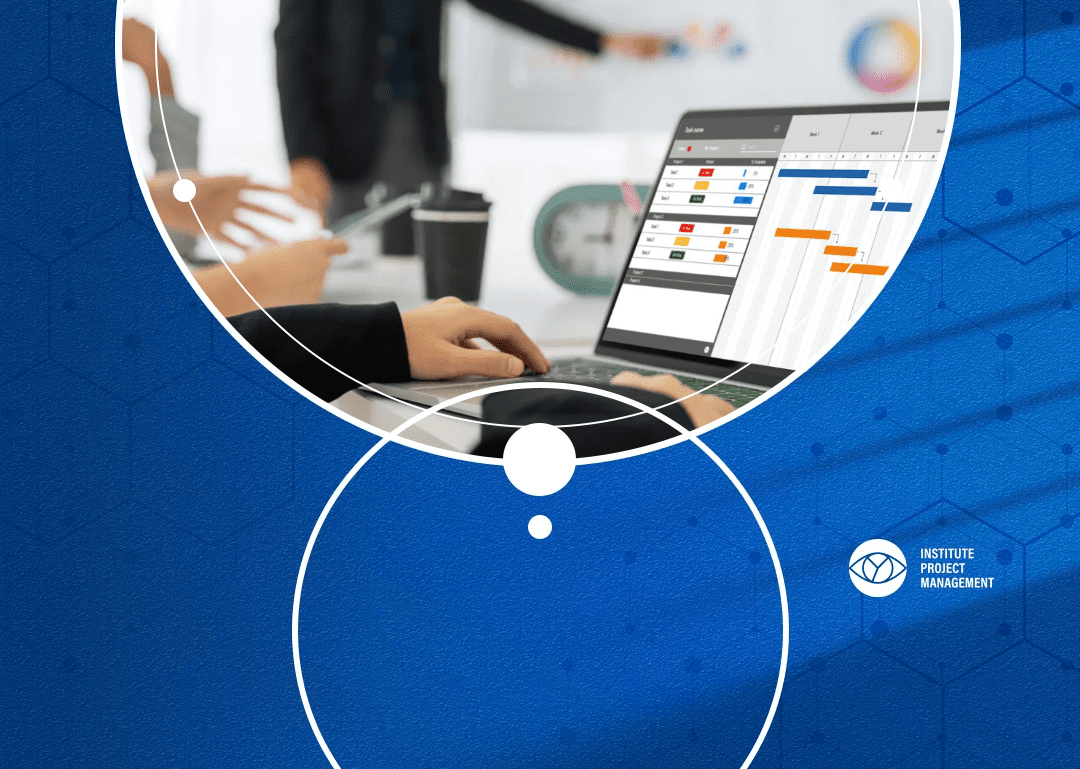
Dashboard-style tracking, whether built in a dedicated platform or constructed using visualisation tools on top of a spreadsheet, adds a layer of real-time or near-real-time visibility that suits larger portfolios. Gantt-style views are particularly useful when timeline dependencies are a primary concern, because they make sequence and overlap visible in a way that a table cannot. Kanban boards, meanwhile, are better suited to teams working in iterative delivery cycles, where the primary question is not ‘when will this finish?’ but ‘what is in flight right now and what is blocked?’
The format question is ultimately a question about what decisions your tracking system needs to support. If senior stakeholders need a monthly portfolio review, a dashboard or summary report is appropriate. If a PMO team is managing daily workflow, a more granular, task-level view may be needed alongside the portfolio summary. Many mature tracking systems combine both: a high-level template for portfolio visibility and project-level plans that feed into it.
Building a tracking system that actually works requires more than filling in a template. The setup process involves decisions about governance, data standards, and accountability that determine whether the system remains useful six months after launch.
Before choosing a format or building a template, clarify the purpose of the tracking system. Is it primarily for operational management, where the project manager needs daily visibility of their own workload? Is it for PMO reporting, where a central function needs to consolidate progress from multiple teams? Or is it for portfolio-level decision-making, where a director or sponsor needs to allocate resources and manage strategic priorities? The answer changes what data you collect, how frequently it is updated, and who is responsible for maintaining it.
This step is where most tracking systems fail. Agree on definitions before you build the template. What does ‘On Track’ mean? How is percentage complete calculated: by tasks completed, by budget consumed, by deliverables signed off, or by time elapsed? What qualifies as a Key Risk versus a general issue? Write these definitions down and attach them to the template. Revisit them after the first monthly cycle and refine them based on what causes confusion in practice.
A tracking template with no named owner for each data field will decay within weeks. Assign responsibility for updating each section of the template. Typically, the project manager is responsible for their own project rows, a PMO coordinator is responsible for consolidation and formatting, and a programme or portfolio manager is responsible for reviewing and acting on the output. Make the update schedule explicit; weekly is usually the right cadence for active projects, and connect it to an existing meeting or review cycle so that it becomes habitual rather than aspirational.
Rolling out a new tracking system across ten projects simultaneously is high-risk. Start with two or three projects, run the template through two or three update cycles, and identify what is working before expanding. This iterative approach mirrors sound project management practice and significantly improves adoption.
Understanding where tracking systems typically break down is as valuable as knowing how to build them. The failure modes are consistent across organisations, regardless of size or sector.
One of the most common mistakes is filling the template with evidence of busyness rather than genuine progress indicators. A project that has had twelve meetings and produced thirty documents may still be no closer to its defined deliverables. Effective tracking focuses on outcomes: what has been completed, what milestone has been reached, what has been formally accepted. When percentage complete is calculated based on tasks checked off rather than deliverables achieved, the numbers become misleading rather than informative.
A tracking template that is updated but never reviewed in a decision-making context is a filing exercise, not a management tool. The value of multi-project visibility lies in what it enables: resource reallocation, risk escalation, timeline negotiation, stakeholder communication. If the template is produced weekly but no one with authority looks at it until a crisis emerges, the system has failed in its primary purpose. Build the review into a governance rhythm, not as an additional meeting, but as a standing agenda item within an existing programme or PMO forum.
Adding columns is easy; maintaining them is not. Templates have a natural tendency to expand as different stakeholders request additional data. Each new field adds to the update burden and increases the likelihood that some fields will be left blank or completed inconsistently. Keep the template as lean as possible. If a field is consistently empty or consistently irrelevant to decisions being made, remove it. The discipline of simplicity is what keeps a tracking system alive over the long term.
Multiple project tracking looks different depending on where you sit in an organisation. The template itself may be the same, but the way it is used, and the competencies required to use it well, vary significantly across roles.
For a project manager running two to five concurrent projects, the tracking template is primarily a personal management tool. It helps them maintain clarity across their own workload, prioritise their attention, and prepare for status conversations with sponsors and stakeholders. At this level, the key competency is discipline: keeping the template current, defining honest RAG statuses rather than optimistic ones, and surfacing risks before they become issues. This is the level at which foundational project management education pays the most immediate dividends. Practitioners who have completed IPM-CPM Level 1® certification develop this discipline precisely, learning to manage scope, risk, and progress tracking as integrated competencies rather than separate tasks.
Earn your Project Management Diploma & IPMA® Certification with expert-led training at IPM to confidently manage any project.

A PMO function uses multiple project tracking as a consolidation and governance mechanism. The template becomes a reporting input that feeds portfolio reviews, executive dashboards, and resource allocation decisions. At this level, the competency challenge shifts from data entry to data quality assurance. The PMO must ensure that project managers are updating the template consistently, that definitions are being applied uniformly, and that the consolidated view accurately represents the state of the portfolio. PMO professionals working toward IPM-CPM Level 2® certification develop the programme and portfolio management skills that make this kind of governance function genuinely effective.
Attend IPM’s Strategic Project Programme Management Diploma to gain expertise in executing programmes with strategic leadership excellence.
At portfolio level, the tracking template is an input to strategic decision-making. The portfolio manager is less concerned with the detail of any individual project and more focused on patterns: which projects are consistently at risk, where resource constraints are creating systemic delays, and whether the portfolio as a whole is delivering against strategic objectives. This requires the ability to read across a tracking system and draw conclusions that go beyond the individual project level. It also requires the confidence to challenge project managers when their reported statuses seem inconsistent with other signals. These are leadership competencies that IPM-CPM Level 3® certification addresses directly, building the capacity to manage project portfolios at director level.
Boost your skills with leadership and management courses at IPM. Earn valuable IPMA-B/A certification for career growth.
When organisations move from managing a handful of projects to running a portfolio of twenty, thirty, or more concurrent initiatives, the tracking systems they built for smaller contexts tend to collapse. This is not a technology problem. It is a methodology problem, and it manifests in predictable ways.
The first sign of failure is data inconsistency. As more project managers contribute to the tracking template, variations in how fields are completed multiply. The status column that worked perfectly when two colleagues were updating it becomes meaningless when fifteen people interpret it differently. The second sign is latency: by the time the template is consolidated and reviewed, the data is already a week or more out of date, and decisions made on it reflect a reality that has already changed.
The third and most damaging failure mode is loss of dependency visibility. In a large portfolio, the interdependencies between projects are often more consequential than the status of any individual project. A delay in one workstream can cascade through multiple downstream projects, creating a wave of slippage that is invisible in a template that only captures single-project status. Addressing this requires deliberate design: the tracking system must include dependency mapping as a first-class field, not an afterthought.
The practitioners who build tracking systems that survive scale are those who understand project management methodology, not just spreadsheet skills. They know how to define scope boundaries so that progress can be measured meaningfully, how to apply risk management principles so that the risk column reflects genuine threats rather than boilerplate entries, and how to manage stakeholder expectations around what a RAG status actually means. These are learned competencies, and they are the foundation that IPM’s education programmes are built on.
| Key Aspect | What to Know | Why It Matters |
|---|---|---|
| Core Components | Project Name, Owner, Status, Percentage Complete, Milestones, Risks, Dependencies, Next Action | Consistent data across all projects enables meaningful comparison and decision-making |
| Format Selection | Spreadsheet for smaller portfolios, dashboard or Gantt for larger or dependency-heavy environments | Matching format to scale prevents maintenance burden from undermining data quality |
| Data Definitions | Written standards for every field, especially Status and Percentage Complete | Eliminates inconsistency and makes the template usable across multiple project managers |
| Update Cadence | Weekly updates tied to a standing review meeting | Keeps the template current and ensures it drives action rather than sitting as a passive record |
| Dependency Tracking | Dedicated field for cross-project dependencies reviewed at each portfolio meeting | Surfaces cascade risks before they cause downstream delays |
| Role Alignment | PM maintains project rows, PMO consolidates and governs, Portfolio Manager reviews for strategic decisions | Clarifies accountability and ensures the template serves all levels of the organisation |
| Methodology Foundation | Tracking built on PM principles of scope, risk, and milestone management | Produces visibility that is reliable at scale, not just when projects are few and simple |
If you manage multiple projects regularly and want to move from informal tracking to a structured, methodology-grounded approach, IPM-CPM Level 1® certification builds the foundational competencies that make tracking systems work in practice. Unlike exam-only qualifications, IPM-CPM Level 1® is delivered through real training and assessed through practical assignments, so the skills transfer directly to your working environment. For those operating at programme or portfolio level, IPM-CPM Level 2® develops the governance and consolidation skills that multi-project environments demand. Explore IPM’s certification pathways to find the level that matches where you are and where you want to go.
A multi-project tracking template is only as effective as the methodology behind it. The fields, the format, and the frequency of updates all matter, but they matter far less than the shared understanding of what the data means and the governance structure that ensures it drives decisions. Build the template on clear PM principles, maintain it with discipline, and use it as a living management tool rather than a reporting formality. That shift in approach is what separates tracking that works from tracking that merely exists.
The following questions reflect what practitioners most commonly ask when building or improving their multi-project tracking systems.
The best format depends on the scale and purpose of your tracking system. A well-structured spreadsheet in Excel or Google Sheets is highly effective for teams managing up to fifteen projects, provided data definitions are standardised, and update cycles are enforced. Larger portfolios benefit from dashboard formats that surface dependencies and milestone conflicts more visually. The format matters far less than the methodology behind it.
For most active project environments, a weekly update cycle is the right cadence. Updates should be completed by project owners before a standing review meeting so that the consolidated view is current when decisions are being made. For slower-moving programmes or strategic portfolios, a fortnightly cycle may be sufficient, but the principle remains the same: the template must be reviewed in a governance context to have value.
Yes, and for many organisations it is the most practical starting point. A spreadsheet template costs nothing, requires no software licences, and can be shared instantly across teams. The key is to invest time in defining your data standards and update protocols before you start populating it. A free template with poor definitions will produce misleading data regardless of how well it is formatted.
A project plan is a detailed document covering scope, schedule, resources, risks, and dependencies for a single project. A project tracker, particularly a multiple project tracking template, provides a consolidated summary view across several projects. The tracker draws on information from individual project plans but presents it at a level of abstraction that supports portfolio-level decisions rather than day-to-day task management.
Add a dedicated Dependencies field to your tracking template and require project managers to name any other projects whose output they are waiting on, or whose timelines their work affects. Review dependency flags at each portfolio meeting as a standing agenda item. Where a dependency is creating a delay risk, escalate it immediately rather than waiting for the affected project to turn Red. Dependency management is one of the most underdeveloped competencies in multi-project environments.
RAG stands for Red, Amber, Green. It is a traffic-light system used to indicate project health at a glance. Green means the project is on track against its agreed scope, timeline, and budget. Amber means there is a concern that requires attention but has not yet caused a significant impact. Red means the project is delayed, over budget, or at serious risk of not meeting its objectives. The definitions of each status must be written down and agreed upon before the template is used.